

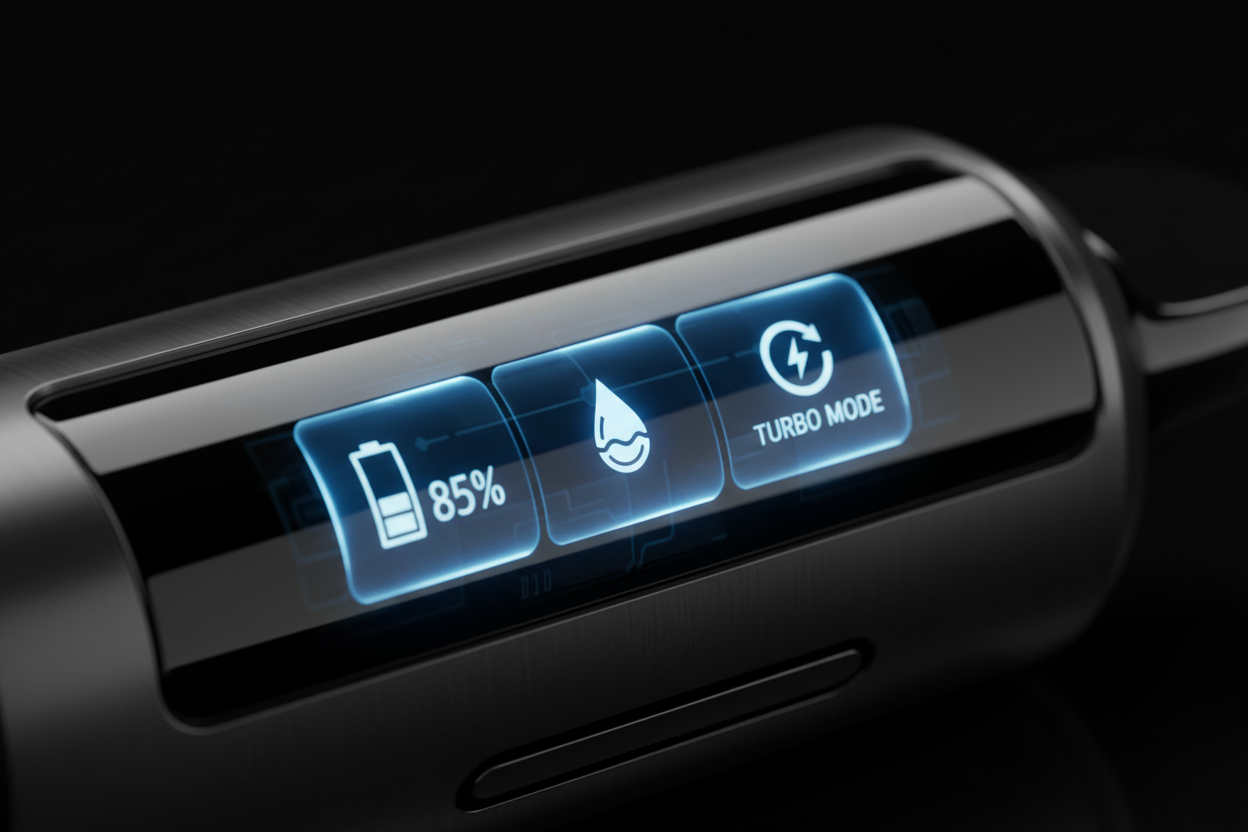
IGET One screen guide will walk you through every symbol and feature, ensuring you know exactly how to use IGET One to its full potential.
The End of Vaping Guesswork
For years, vapers in Australia had to rely on a blinking light—which usually only activated when it was too late—to know their device was dying. Even worse was the dreaded dry hit, a harsh reminder that the e-liquid had completely run out. The IGET One eliminates these frustrations entirely. By giving you a clear window into the device’s status, it represents the forefront of smart vapes in Australia. .
Decoding the IGET One Display Symbols Meaning
Let’s break down the information presented on the oversized colour screen so you can read your vape like a dashboard.
The Battery Level Indicator (%)
Just like your smartphone, the IGET One features a clear, digital percentage display for its battery life.
-
What it means: This number (from 0% to 100%) tells you exactly how much charge remains in the 2700 mAh pre-charged battery.
-
What you should do: When the number drops low (e.g., below 10%), it’s a helpful reminder to have a backup device ready, as this specific model is designed to last the full 10,000 puffs on its initial charge without needing to be plugged in.
The E-Liquid Capacity Droplet
Alongside the battery, you will see an icon shaped like a droplet or a segmented bar representing your e-liquid level.
-
What it means: This is your visual fuel gauge. It tracks the remaining e-liquid inside the tank. As you vape, the indicator will gradually decrease.
-
What you should do: This is your early warning system. When the droplet is nearly empty, you know it’s time to before you experience a burnt taste.
Standard vs. Turbo Mode Icons
The IGET One is equipped with dual mesh coils, allowing for two distinct vaping experiences, which are indicated on the screen.
-
Standard Mode: Usually indicated by a single coil icon or a standard power symbol. This mode uses one mesh coil for a balanced, long-lasting flavour and smooth vapour.
-
Turbo Mode: When activated, a distinct icon (often a double coil or lightning bolt) appears. This signifies that both mesh coils are firing, delivering a much warmer, denser, and more intense flavour hit.
[插入图片 1]
How to Use the IGET One Screen to Optimize Your Vaping
Understanding the vape battery indicator and e-liquid levels isn’t just about avoiding a dead vape; it’s about managing your experience.
Planning Your Next Purchase
The most practical benefit of the screen is planning. By glancing at the e-liquid indicator, you can gauge exactly when you need to restock. If you are heading out for a long weekend and see your liquid is at 10%, you know it’s time to bring a spare.
Managing Flavour Output with Turbo Mode
The screen confirms your current mode. If you are craving a massive, flavour-packed cloud (say, to fully experience the flavour), switch to Turbo. If you want to conserve liquid for a longer session, switch back to Standard and verify the change on the screen.
Welcome to the Era of Smart Vapes in Australia
The IGET One is more than just a 10,000 puff device; it’s a shift in how we interact with disposables.
Why Screens Are the Future of Disposables
Australian vapers demand quality and transparency. A screen provides exactly that. It turns a disposable item into a reliable gadget. We anticipate that this level of user control—monitoring exactly what is happening inside the device—will soon become the standard for all premium vapes on the market.
Master Your Vape Experience
The IGET One display screen puts you in the driver’s seat. No more guessing, no more sudden dry hits, just pure, uninterrupted satisfaction.
Ready to take control of your vaping? .
IGET One Screen FAQs (FAQ)
Does the LED screen drain the battery quickly?
While the screen does use some power, it is optimized to be highly efficient. It typically turns off shortly after you take a puff to conserve energy, ensuring the 2700 mAh battery lasts for the advertised puff count.
What does it mean when the battery icon flashes?
A rapidly flashing battery icon or a “0%” display usually means the device is completely out of power and will no longer produce vapour. Since the IGET One is pre-charged for its lifespan, this means the device is finished.
Will the screen show if my coil is burnt?